Keypads
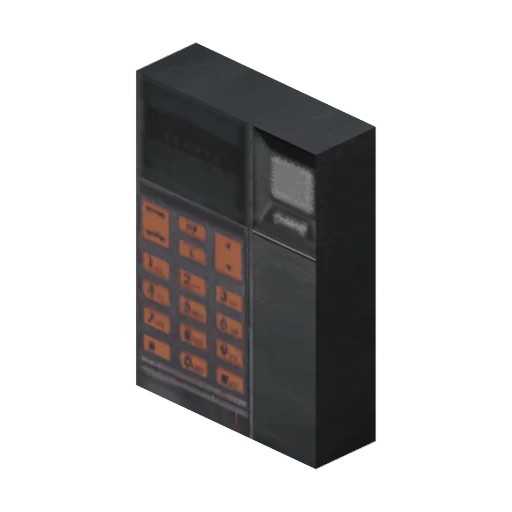
A Keypad locks a defence behind a 4-digit code. It needs a Motor on the defence first. There are two items, the Keypad and the Advanced Keypad; on a defence they work the same.
Fitting a keypad
- Fit a Motor to the defence (see Defences).
- Stand at the defence's back, hold the Keypad and hold
Ffor about 6 seconds (shortened by the Construction skill). The keypad is used up. - The keypad screen opens in setup mode (SET PASSCODE). Enter four digits and press
>: Keypad installed.
Leaving the code at 0000 keeps it unset: the next person to use the keypad is asked to set one. Set a real code before you leave.
Using it
Press F on the defence. Type the code and press >: Moving defence, please stand back, and the defence swings open or shut like a door with a Motor but no keypad. A wrong code says Incorrect passcode.
The screen has 12 buttons: the digits, C (delete the last digit) and > (enter). You can click them with the mouse, or type the digits on the keyboard or numpad and use Backspace and Enter. Escape closes it.
You cannot guess quickly. After a wrong code the keypad ignores you for 2 seconds, and every fifth wrong code in a row makes that wait 6 seconds. A correct code resets the count.
Taking the defence down with a Crowbar from the back removes the motor and the keypad with it.
Crafting
Both are made at a Workbench with a Screwdriver. The Advanced Keypad is an I/O Unit plus a Power Supply; an I/O Unit is a Mobile Phone plus a Keypad.
Other keypads
- A keypad can also be fitted to the door of a walk-in vehicle; see Repairing & Locks.
- The doors of Area 69 and the code hunt's lockup (Code Hunt & Puzzles) have their own keypads and codes, with a flat 2 second wait between tries. The Hack Interface works only at Area 69's keypads, never at the lockup or at keypads you fitted; see Area 69.